All features
Vacation rental management software for small hosts. Everything you need to manage your BnB in one place.
BNBNote is an Airbnb property management tool that supports hosts who list on Airbnb, Agoda, Booking.com, Trip.com and other channels. Manage multiple Airbnb listings and get Booking.com and Airbnb management in one place. We're working toward channel API integrations to reduce manual admin in the future.
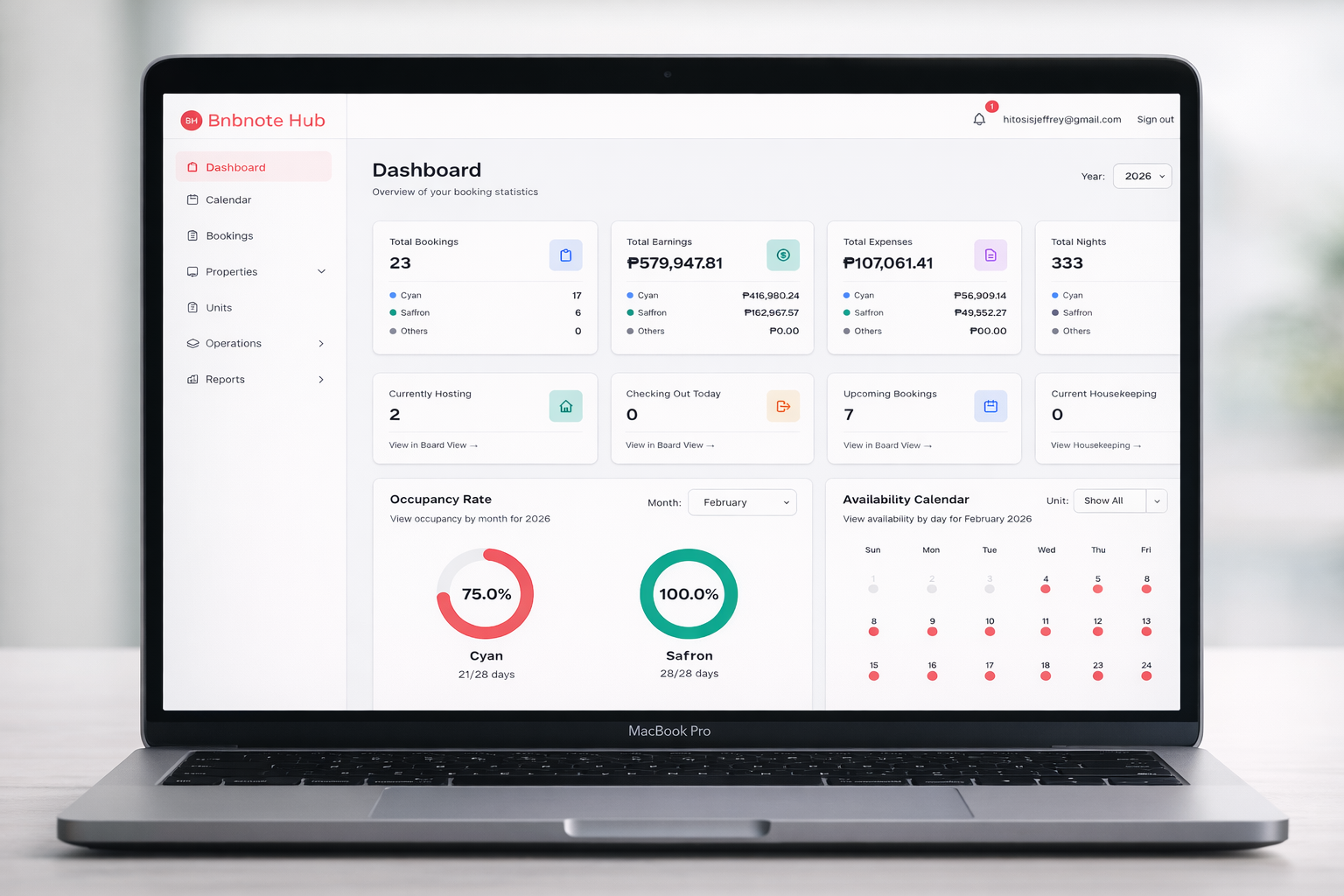
Dashboard—operational stats, today's events, earnings heatmap
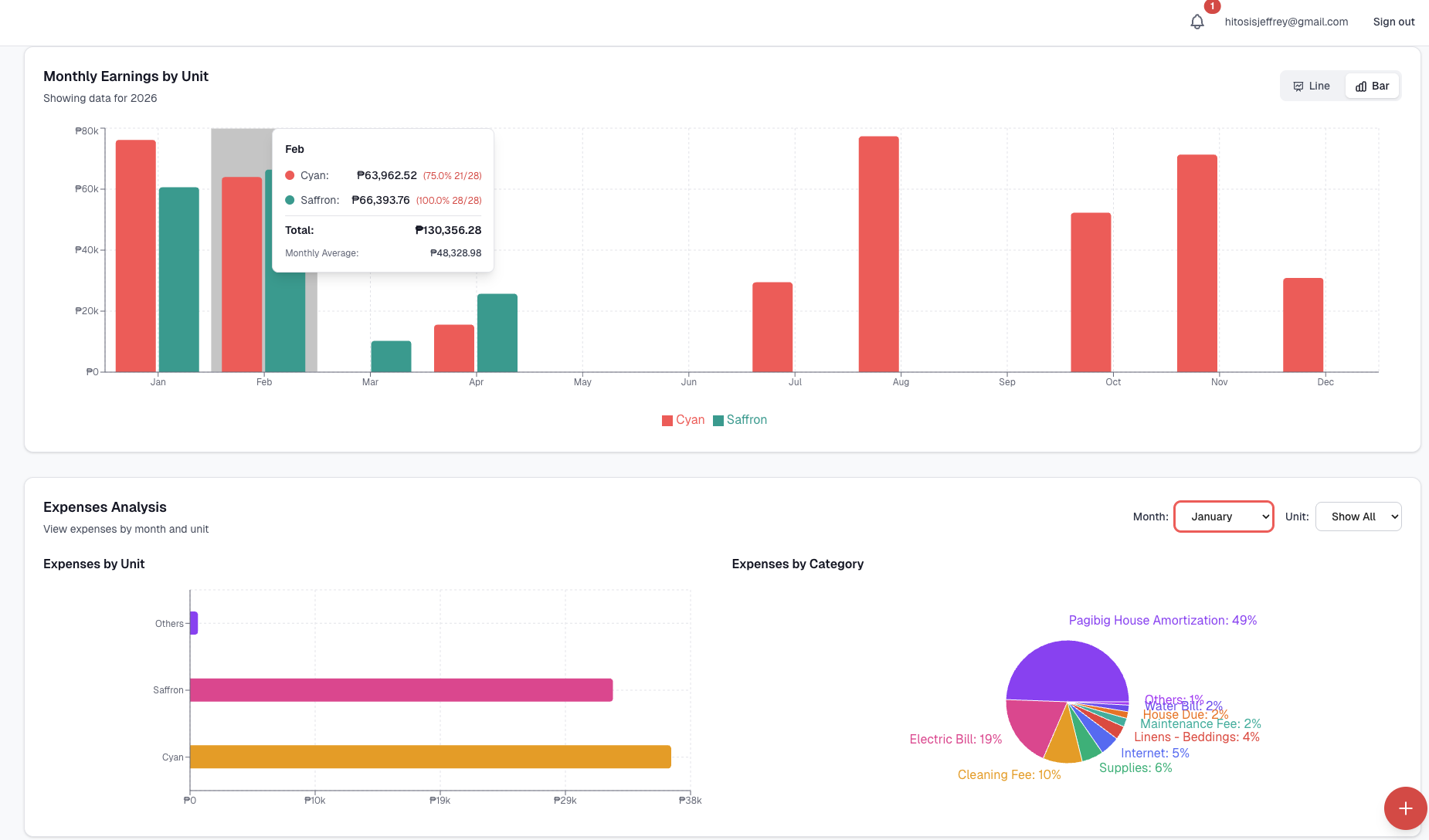
Income & expense
- •Track income per unit per month
- •View expense by expense type
- •View data retrospectively
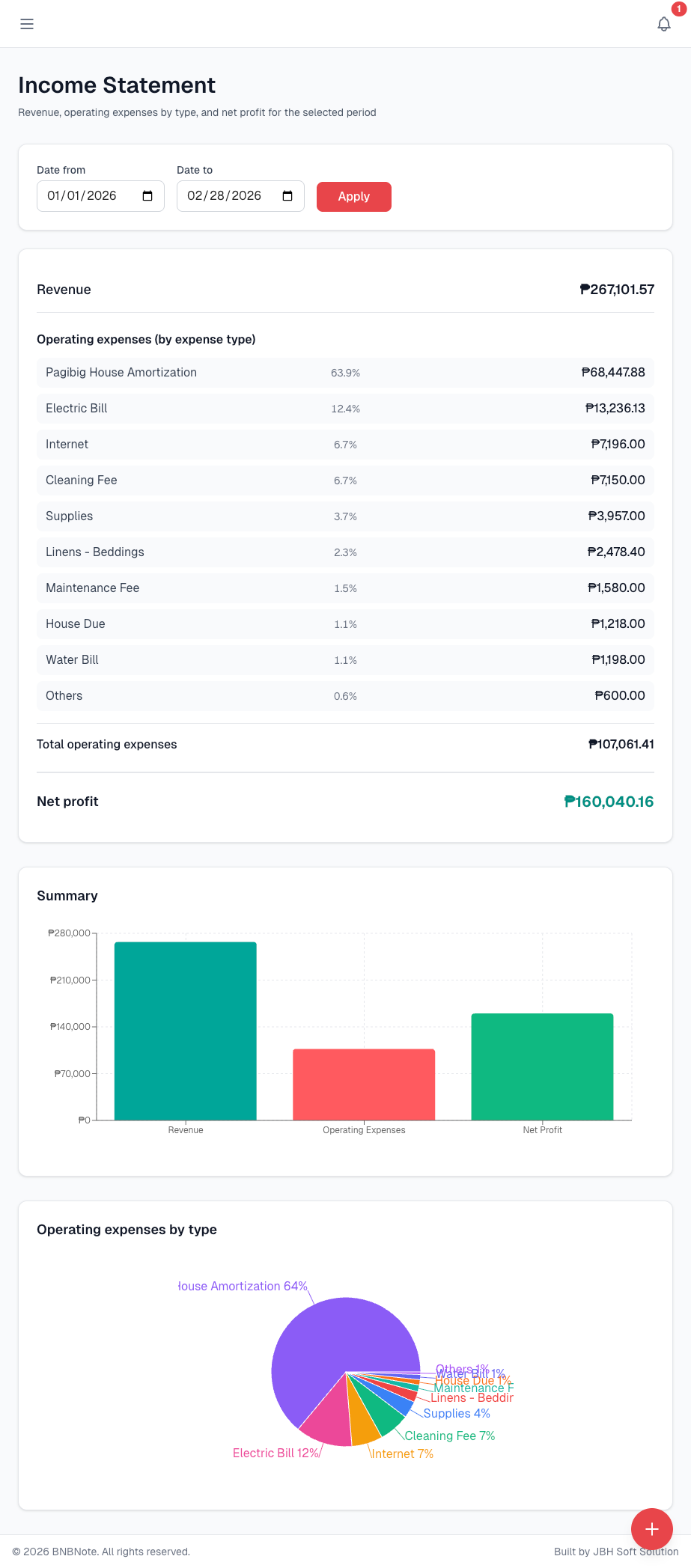
Income statement
- •Revenue and expenses by category
- •Monthly view with breakdown by unit
- •Better financial insights at a glance
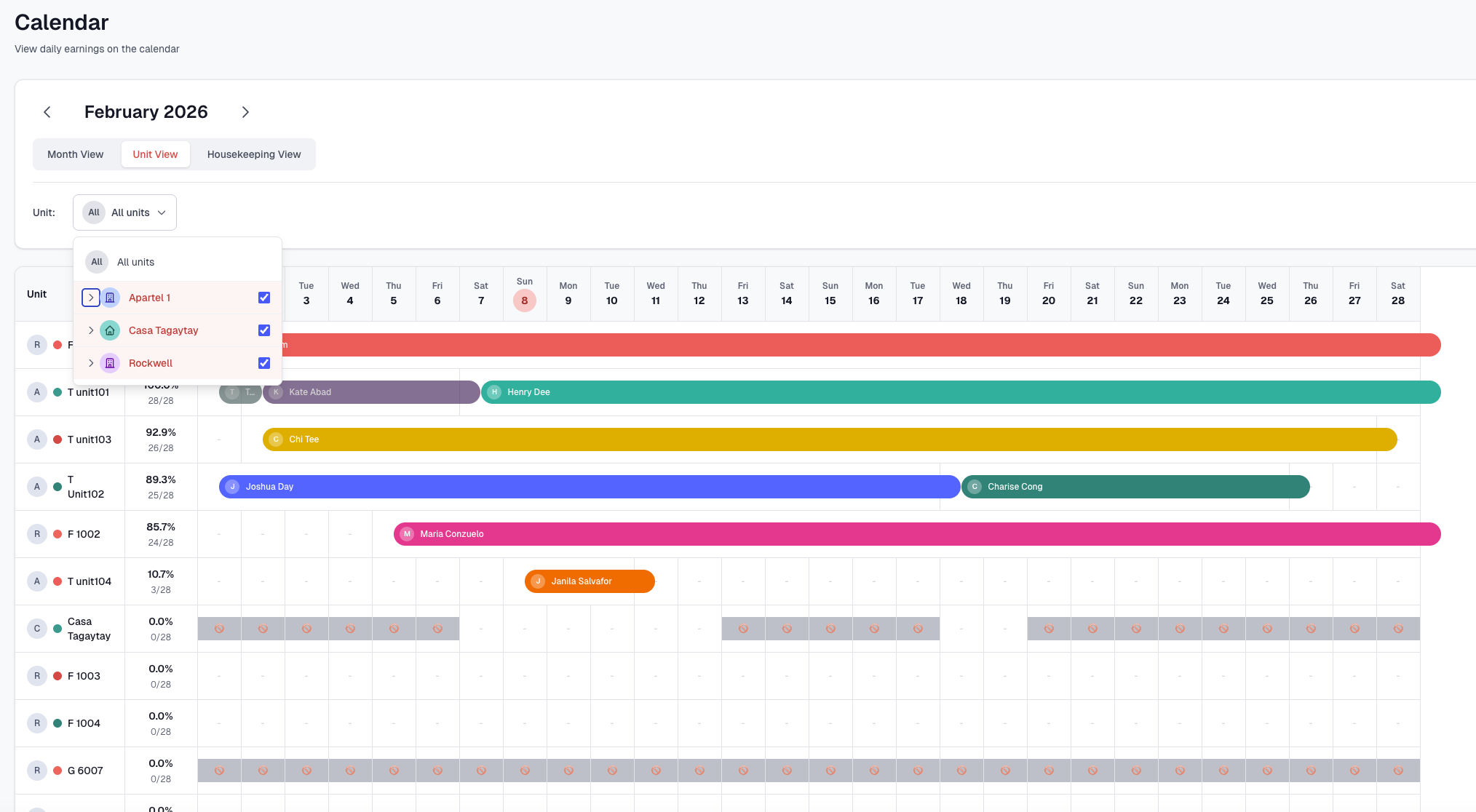
Calendar
- •View all units and the bookings in one place
- •View the availability per unit
- •See the occupancy rate per unit
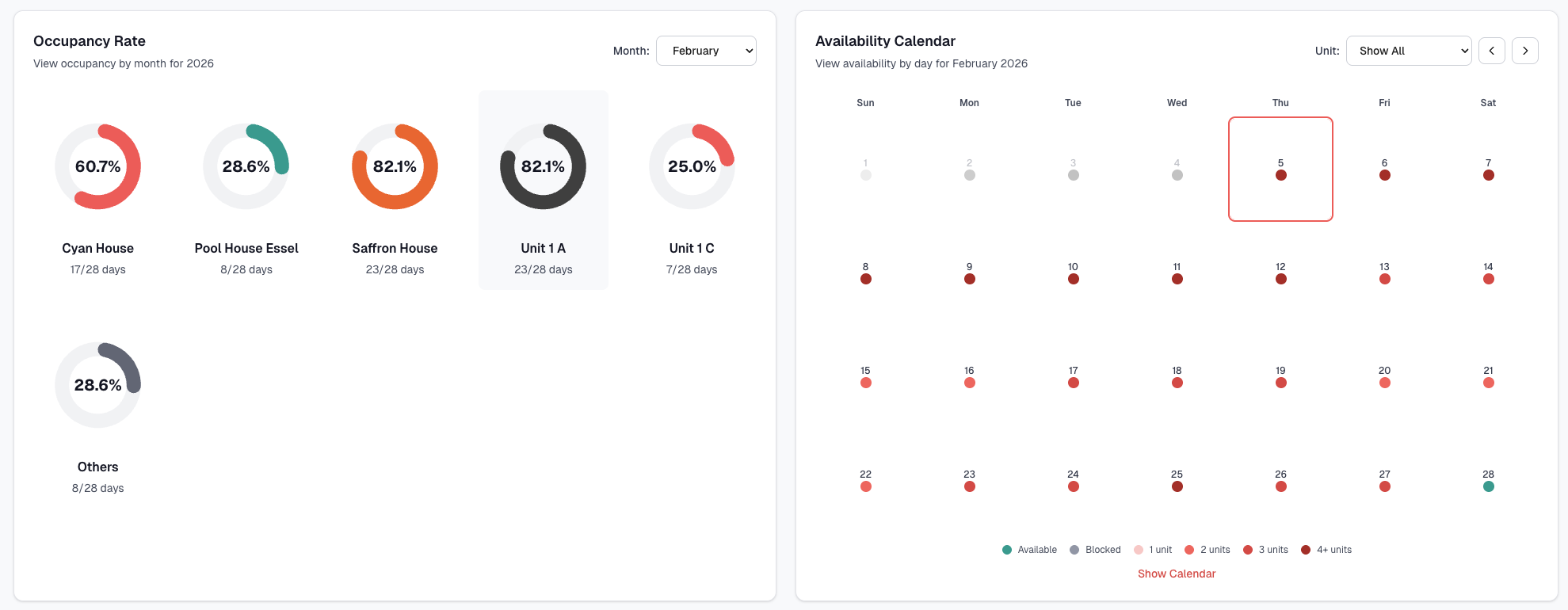
Occupancy rate
- •See all units and the occupancy rate
- •Calendar of availability in the dashboard
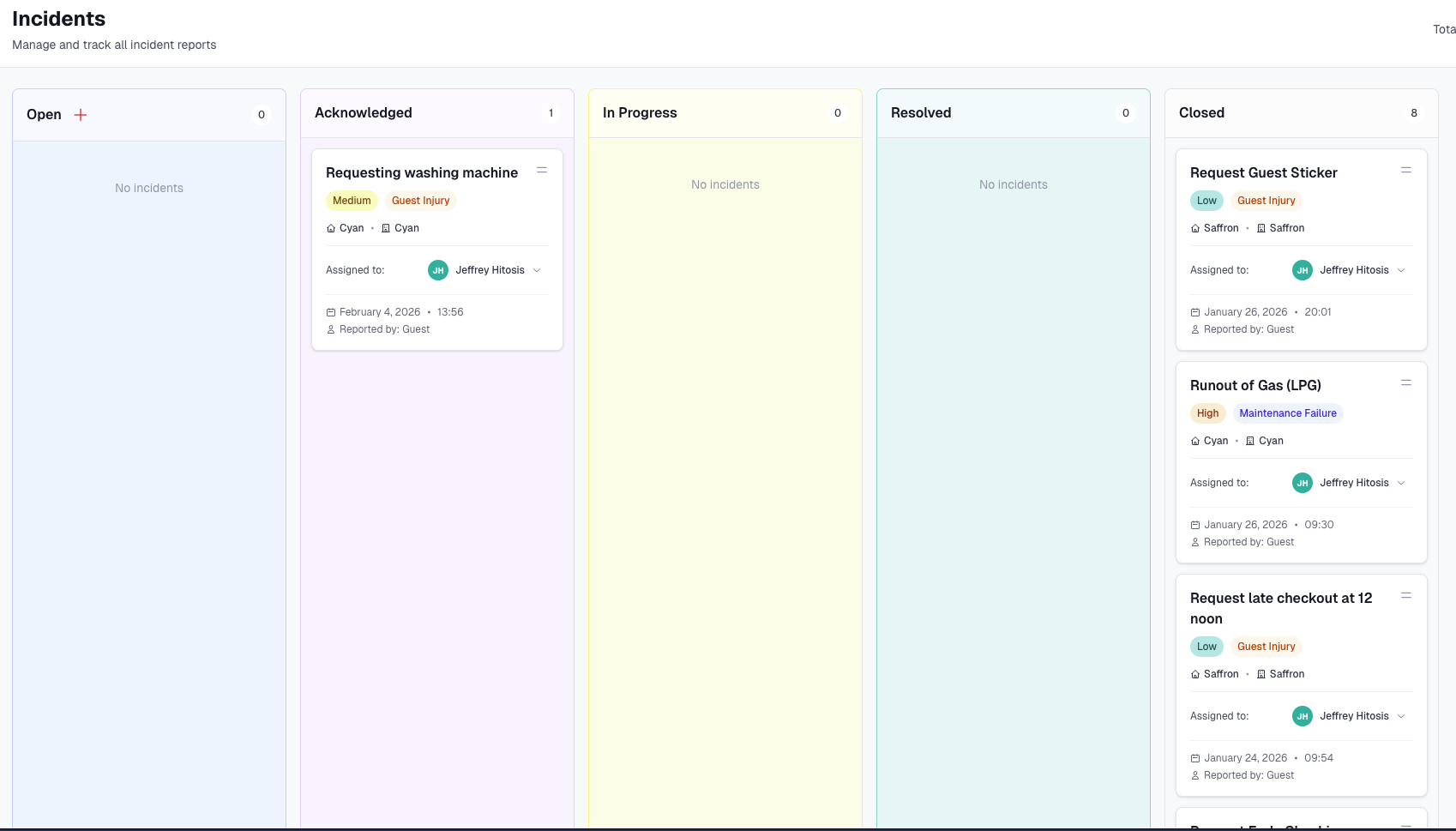
Incident management
- •Display in a board where you can see all incidents and their status
- •Makes it easier to manage and track incident reports
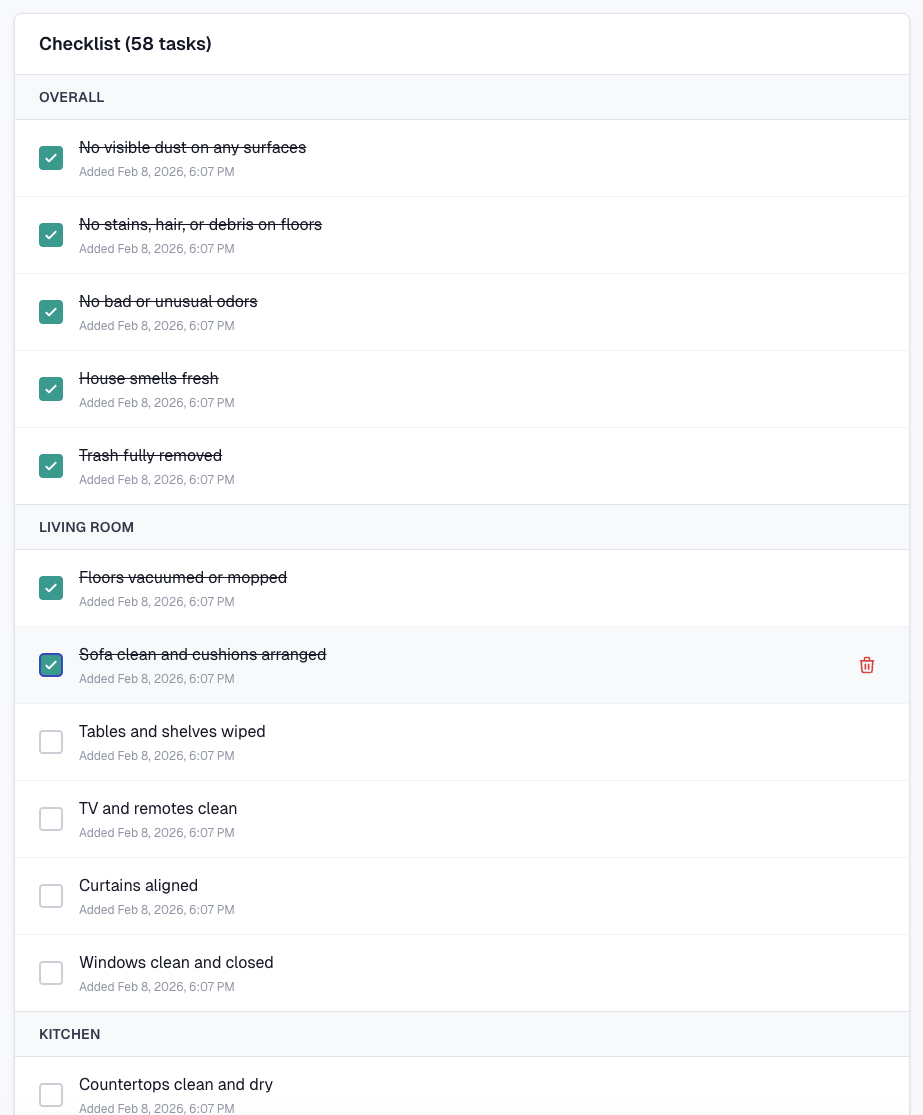
Checklist templates
Build reusable checklists with as many tasks as you need. Group them by area—Overall, Living Room, Kitchen, and more. Each task shows when it was added; you can edit or remove items anytime.
- •Templates by category: Organize tasks under sections like Overall, Living Room, Kitchen—add or reorder as needed.
- •Task count & timestamps: See total tasks at a glance; each item shows when it was added for a clear audit trail.
- •Edit or remove tasks: Update descriptions or delete tasks from the checklist so templates stay relevant.
- •Share link + passcode: Send housekeepers a secure link and passcode—they complete tasks on phone or tablet; you see progress in real time.
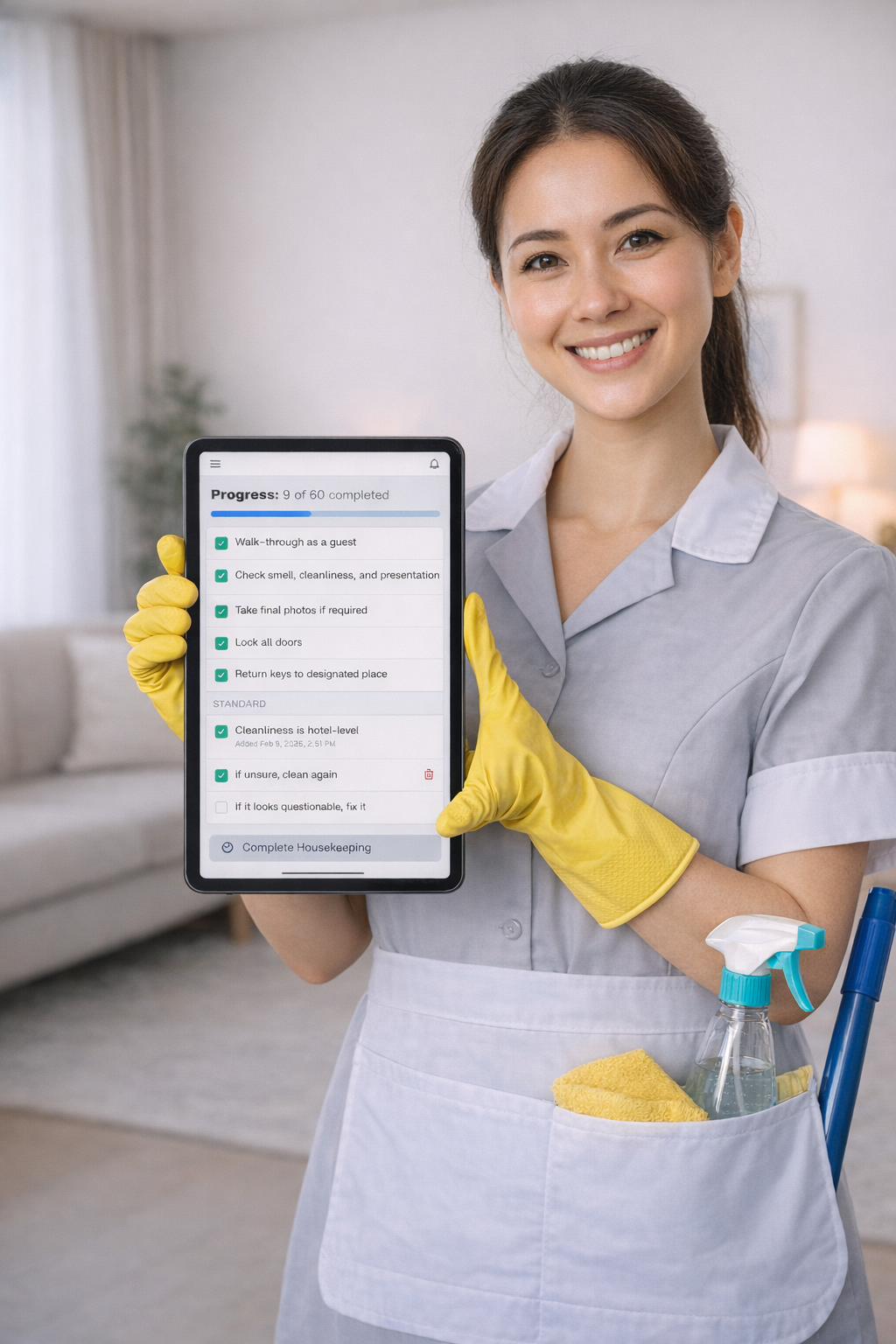
Housekeeping checklist — share with staff
Create checklist templates, then share a secure link and passcode with your housekeeper. They open it on any device—phone or tablet—and work through the list, checking off tasks as they go. You see updates in real time in your dashboard.
- •Link + passcode: No app install—housekeepers open the checklist in a browser on any device.
- •Complete tasks: Check off items as they go; progress syncs in real time.
- •You stay in the loop: See what's done and what's left at a glance in your dashboard.
- Feature 1
Dashboard
Overview of today’s activity, occupancy rates, earnings heatmap, and quick access to check-ins, check-outs, and calendar events. Stay on top of daily operations at a glance.
- Feature 2
Calendar
Month view, unit view, and housekeeping view. See earnings and availability by day, block dates for maintenance or personal use, and manage bookings directly from the calendar. Sort units by occupancy.
- Feature 3
Bookings
Create, edit, and manage reservations with board and list views. Store guest details, transactions, notes, attachments, and incident reports. Check-in and check-out tracking with notifications.
- Feature 4
Properties & Units
Manage multiple properties and units. Add addresses and details, link units to properties, and keep your inventory organized. View availability and earnings per unit.
- Feature 5
Staff & Providers
Directory of staff and service providers. Assign and track who handles housekeeping, maintenance, and other services. Search and manage contacts in one place.
- Feature 6
Housekeeping
Schedule and track housekeeping by date and unit. Checklist templates, task status, and public links for staff. Calendar and list views for daily operations.
- Feature 7
Checklist Templates
Reusable housekeeping checklists. Define tasks per template and assign them to units. Streamline turnover and quality checks.
- Feature 8
Calendar Events
Maintenance and task calendar. Create events by unit and date, set reminders, and keep operations organized. View today’s and upcoming events.
- Feature 9
Expenses
Track expenses by type, date, and unit. Attach receipts, tag business vs personal, and manage custom expense types. Copy expenses for quick entry.
- Feature 10
Incidents
Log and track incidents linked to bookings or units. Resolve and review incident history in one place. Keep a clear record for follow-up.
- Feature 11
Reports
View reports by date range and unit. See revenue, occupancy, and key metrics. Export and analyze performance over time.
- Feature 12
Income Statement
Revenue and expenses by category. Monthly view with breakdown by unit and expense type for better financial insights. View on desktop or mobile.
- Feature 13
Contacts
Central contact list tied to bookings. Quick access to guest and contact information when you need it.
- Feature 14
Notes & Attachments
Add notes and file attachments to bookings. Store receipts, contracts, and documents in one place. Image preview and PDF support.